

How Do You Integrate AI Into Business Workflows?
Last Updated: November 20, 2026
Quick Summary
AI integration means mapping and scoring your existing workflows before testing any tool, then automating the highest-scoring tasks first. Score each task on volume, rules, and cost of error, and multiply the three; anything above 40 is a strong candidate. Start with one workflow, one owner, and a 60-day pilot.
- Score workflows on volume, rules, and cost of error, and multiply the three scores.
- Every AI workflow has four stages: input capture, processing, human review, and output delivery.
- Start with read-only access and write to a staging table or review queue.
- Record a baseline of hours per task, error rate, cycle time, and cost per task.
- Run a kill switch drill before the pilot goes live and record how long the stop took.
Table of Contents
- Start With a Workflow Audit, Not a Tool Demo
- The Four Stages of an AI Workflow, Explained
- AI Integration Examples Across Real Business Functions
- Choosing AI Integration Tools That Fit Your Existing Systems
- AI Integration Best Practices for Rollout and Employee Adoption
- Measuring ROI and Building a Governance Layer
- Plan Your First Pilot Before You Buy Anything
- Frequently Asked Questions
Start With a Workflow Audit, Not a Tool Demo
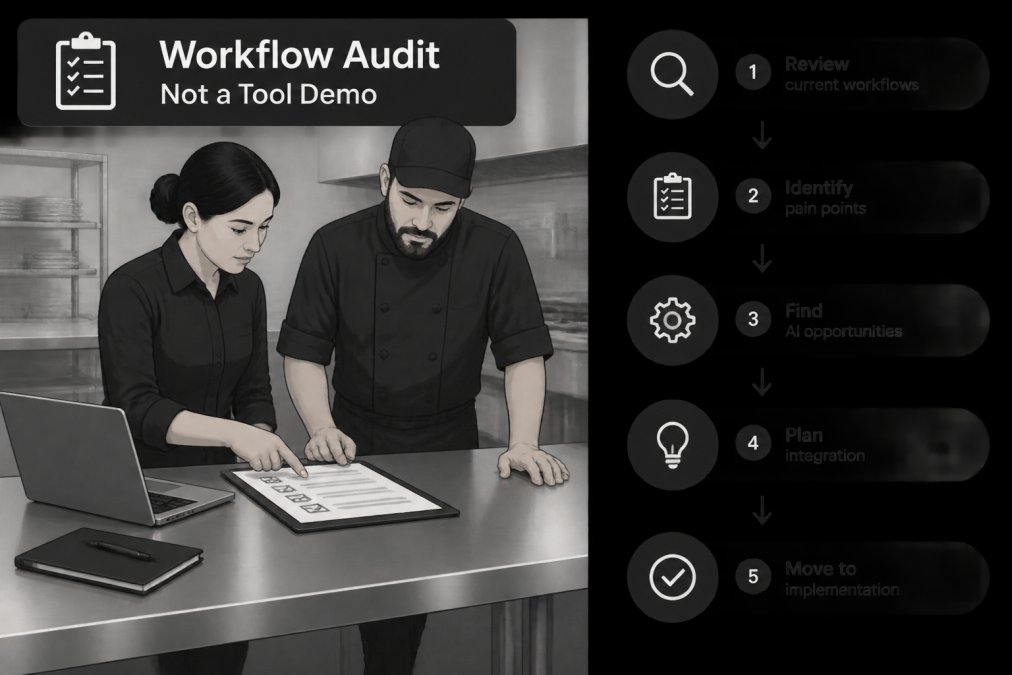
Most teams start with a product demo. That is backwards. Before you test a single tool, map the work your team already does and score it. The companies that get this right treat integrating artificial intelligence into business workflows as an audit-first project, not a software purchase.
The lesson carries over: fix the process before you add equipment.
Start with a spreadsheet. List every repeatable task in the business. Then score each one.
Score Each Workflow on Volume, Rules, and Cost of Error
Use a simple 1-5 score on three factors:
- Volume: How many times per week does this task run?
- Rules: Is the task rule-based and predictable?
- Cost of error: What happens if the output is wrong?
Multiply the three scores. Anything above 40 is a strong candidate.
| Workflow | Volume | Rules | Cost of Error | Total | Verdict |
|---|---|---|---|---|---|
| Invoice data entry | 5 | 5 | 2 | 50 | Automate first |
| Customer email replies | 4 | 3 | 3 | 36 | Pilot with review |
| Vendor contract review | 2 | 2 | 5 | 20 | Human-led, AI-assisted |
| Social media drafts | 4 | 4 | 1 | 16 | Low priority |
Cost of Error
The trap is starting with the most exciting use case instead of the highest-scoring one. High cost of error plus low volume is not a good first project.
The Four Stages of an AI Workflow, Explained
Every AI workflow moves through four stages. Skip one and the system fails quietly.
The four stages of an AI workflow are input capture, processing, human review, and output delivery. Each stage needs an owner and a check.
- Input capture: Where does the data come from? Email, forms, sensors, or a shared drive.
- Processing: The model reads, classifies, or drafts. This is where machine learning and natural language processing do the work.
- Human review: A person checks the output before it leaves the system.
- Output delivery: The result goes to a customer, a system, or a file.
Stage three is the one teams cut first to save time. That is a mistake. A 2025 paper from researchers on AI workflow evaluation recommends designing systems that can check their own work, plus testing before launch.
AI Integration Examples Across Real Business Functions
Here is what this looks like in practice, function by function.
Customer service: AI drafts replies to routine tickets.
Finance: Models pull invoice data and flag mismatches.
Operations: Predictive analytics forecast demand and flag equipment that needs service.
Maintenance and facilities: Work orders route automatically based on location and urgency.
Sales: AI scores leads and drafts follow-ups. Reps edit before sending.
Choosing AI Integration Tools That Fit Your Existing Systems
The best tool is the one that fits what you already run, not the one with the longest feature list. The useful version goes one layer deeper: before you compare vendors, map how data will physically move between the AI tool and your existing systems, because that architecture decides whether the integration works at all.
Map the Integration Architecture Before the Demo
Draw the data flow for one workflow on a single page. Every AI integration has the same five components, and each one is a place a project fails:
-
Source systems: Your CRM, ERP, ticketing tool, shared drive, or inbox. Identify the exact object and field the AI needs, for example, the
close_datefield on an opportunity record, not "the CRM." - Transport: How the data travels. Most modern tools use REST APIs with JSON payloads; older systems may only expose SOAP, SFTP file drops, or a database read replica. Confirm the transport exists before you assume it does.
- Processing layer: The model or rules engine that reads, classifies, or drafts. This is where prompts, retrieval, and guardrails live.
A common pattern is to start with read-only access. Let the AI read from the source system and write to a staging table or review queue. Only after the pilot proves accuracy do you grant write access to the system of record. That sequence limits blast radius and makes rollback trivial.
Check Permissions, Data Residency, and Vendor Review
Integration is a security decision as much as a technical one. Before signing, get written answers to these questions:
- Access scope: Does the tool use a service account with least-privilege permissions, or does it demand admin access to your CRM? Least privilege is the baseline.
- Data handling: Is your data used to train the vendor's models? Can you opt out in writing? Where is data stored, and does the vendor support a data processing agreement?
- Audit trail: Can you trace every AI-generated output back to the input, the model version, and the user who approved it? Regulated functions need this.
Watch out: a vendor demo that runs on clean sample data tells you nothing about your messy production data. Ask for a sandbox connected to a copy of your actual system before you commit.
Match the Tool to the Workflow, Not the Reverse
Different workflow types need different tool categories. A useful shorthand:
- Document-heavy work (invoices, contracts, claims) needs extraction and classification tools with strong accuracy benchmarks on your document types.
- Conversational work (support tickets, chat) needs a tool with retrieval over your knowledge base and a clean handoff to a human agent.
- Analytical work (forecasting, scoring) needs a platform that connects to your warehouse and supports model monitoring for drift.
Research from McKinsey's global AI survey shows organizations scaling AI fastest in functions with the greatest value potential. In practice that usually means the function with the cleanest existing data and the simplest integration path, not the flashiest tool. Check data quality and API access first; a platform with every feature is worthless if your CRM cannot share a record with it.
AI Integration Best Practices for Rollout and Employee Adoption
Rollout fails on people, not technology.
Almost half of business leaders report using AI agents to fully automate workflows, according to Contentful's 2026 research. Yet adoption stalls when staff do not trust the output.
AI integration best practices that actually hold up:
- Name one owner per workflow. Shared ownership means no ownership.
- Train staff on the review step, not just the tool.
- Start with one team and one workflow.
Employee adoption is a training problem more than a tools problem. Budget time for it.
Measuring ROI and Building a Governance Layer
Return on investment is easy to claim and hard to prove. Most articles list a few metrics and stop. The version that survives a budget review builds a total cost of ownership model, a baseline, and a governance layer with named owners and a kill switch.
Build a Total Cost of Ownership Model
Implementation cost is the visible number. Operating cost is the one that surprises teams. Model both before the pilot:
- One-time costs: Vendor setup and implementation fees, integration development (internal engineer hours or a systems integrator), data cleaning and migration, and training time for the affected team.
- Recurring costs: Subscription or usage-based model fees, API and compute charges that scale with volume, ongoing integration maintenance, monitoring and evaluation tooling, and the human review labor you deliberately keep in the loop.
- Hidden costs: Prompt and workflow maintenance when models change, rework from incorrect outputs, and the management time to run the review queue.
A common pattern is that the human review step is the largest recurring cost in the first year. Budget for it explicitly rather than assuming it disappears.
Measure Against a Baseline, Not a Vibe
Record the baseline before the pilot starts: hours per task, error rate, cycle time, and cost per task. Then measure the same four numbers at 30, 60, and 90 days.
Track adoption alongside the financials. A workflow that saves hours on paper but that staff route around has zero return. Measure the percentage of eligible tasks actually processed through the AI path, and investigate any drop.
Build a Governance Layer With Named Owners
Governance is the other half of ROI, because it is what keeps the system trustworthy enough to keep using. Build a simple layer with an owner for each element:
- Data rules: What can the model see, store, and retain? Define retention periods and prohibit sensitive categories unless explicitly approved.
- Review rules: Which outputs require a human signature? Customer-facing, financial, and legal outputs are the default yes.
- Audit trail: Can you trace any decision back to its input, model version, and approver? If not, you cannot investigate an error.
Only 11% of S&P 500 firms had AI deeply embedded in their business by the end of 2025, according to the MIT Initiative on the Digital Economy. Deep integration, not surface use, is the real goal. Governance is what makes depth possible.
Plan for Failure Modes and Recovery
Every AI workflow fails in predictable ways. Write the response before it happens:
- Hallucination: The model states something false with confidence. Mitigation is retrieval grounded in approved sources plus a review step for high-stakes outputs. Recovery is a correction log and a re-run.
- Drift: Accuracy degrades as inputs change. Mitigation is scheduled evaluation against a labeled sample. Recovery is a retrain or prompt update with a rollback to the prior version.
- Outage: The vendor API goes down. Mitigation is a fallback path to a manual queue. Recovery is automatic retry with a cap, then human handling.
Watch out: a kill switch nobody has tested is not a kill switch. Run a drill before the pilot goes live and record how long the stop took.
Plan Your First Pilot Before You Buy Anything
A pilot is a test with a deadline. Write it down before you sign a contract.
Use this checklist:
- One workflow, scored above 40 on the audit
- One owner and one backup
- A written baseline: hours per week, error rate
- A 60-day window with a review date
If the pilot misses, you learn something cheap. If it hits, you have proof for the next workflow.
Most operations teams do not need more software. They need fewer emergencies. Guardian Drain Lock helps commercial facilities stop drain problems before they start, with tamper-resistant stainless steel locks that are pre-assembled for fast installation.
Frequently Asked Questions
Which business workflows are best suited for AI?
Look for work that is high volume, rule-based, and cheap to get wrong. Invoice matching, ticket routing, inventory reorder alerts, and shift scheduling all qualify. Automation adoption is most common in back-office processes. Skip anything with legal exposure or one-off judgment calls until your AI integration has a track record.
What are the four stages of an AI workflow?
The four stages are intake, processing, human review, and feedback. Intake captures the input, such as a form, email, or sensor reading. Processing is where the model classifies, extracts, or predicts. Human review catches errors before anything ships. Feedback loops corrections back into the system so accuracy improves. Designing AI systems that can check their own work makes the review stage a design requirement rather than an afterthought.
How can businesses measure the results of AI integration?
Pick two or three numbers before you start: hours per week on the task, error rate, and cycle time. Baseline them for 30 days, then compare after rollout. Measurable before-and-after results are what count when judging whether AI improved decision-making and execution speed. Track total cost of ownership too, including tool licenses, integration work, and staff training time, not just the subscription fee.
How do you get staff to actually use AI tools after rollout?
Give people a reason tied to their day, not the company strategy. Show a maintenance tech how AI scheduling cuts their paperwork, then let them break it in a pilot. Build training around the workflow, not the software. Keep a human-in-the-loop on anything customer-facing until error rates are stable, and name one owner per workflow so questions have somewhere to go.
